Opening hours
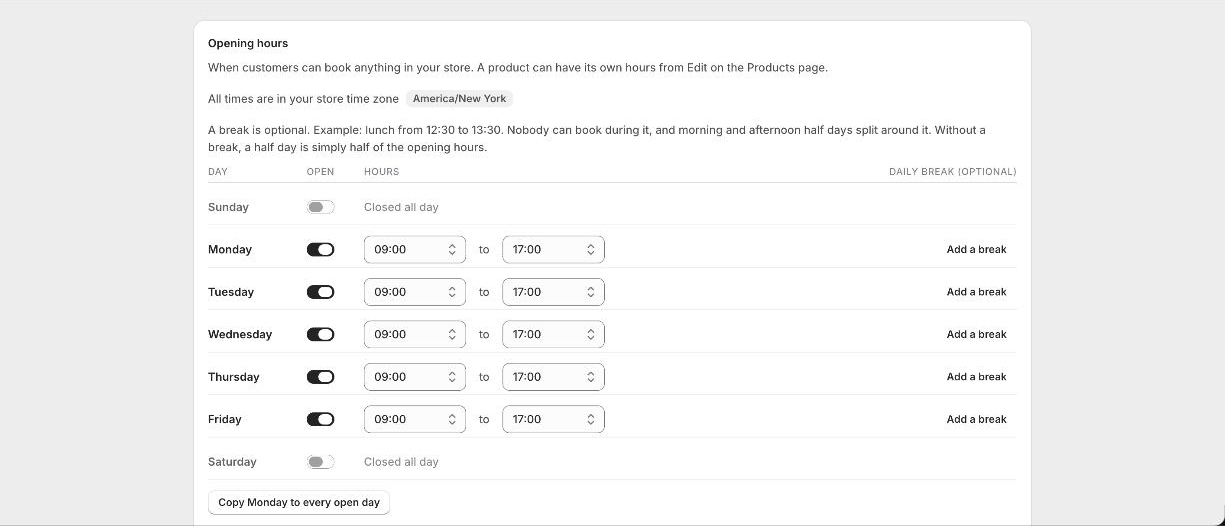
Under Availability you get your week as a table. Switch a day on or off and pick the opening and closing times from a list. If most days are the same, set Monday and use Copy Monday to every open day. Hours save as you change them, and times are in your store time zone.
A daily break
Each day can have an optional break, for example lunch from 12:30 to 13:30. Nobody can book during it. It also decides where morning and afternoon split if you sell half days. Without a break, a half day is simply half of that day hours.
Closed dates
Days you will not take bookings, on top of your weekly hours. Pick a date from the calendar and choose whether the whole day is closed or just part of it, for example a Tuesday morning while a delivery arrives. Add a note for yourself. There is a month view beside the list showing how your month looks to customers, and you can click any open day there to close it.
Minimum notice
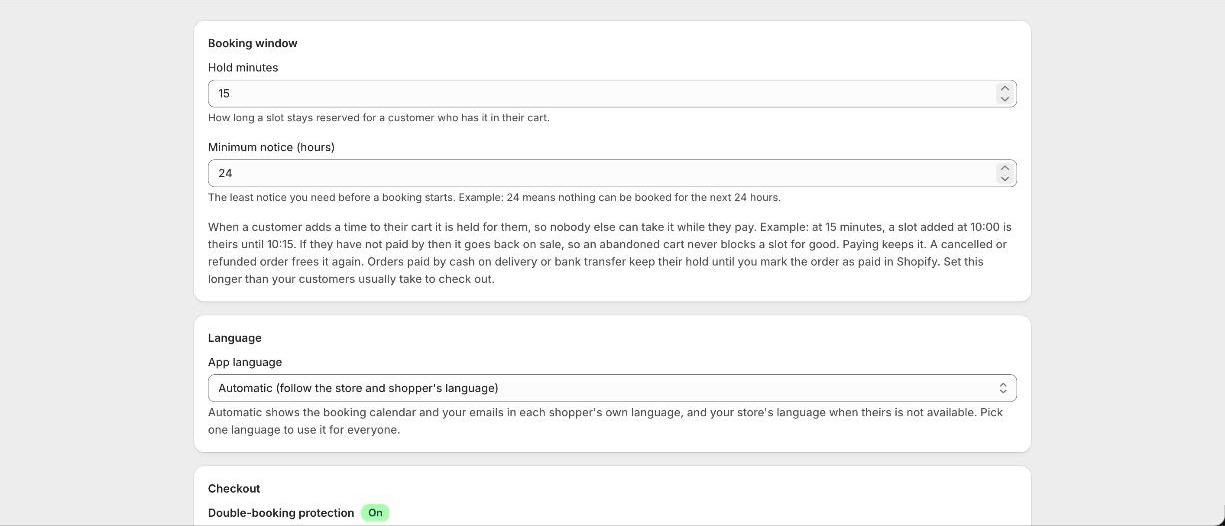
Set the least notice you need before a booking starts. Set 24 and nothing can be booked for the next 24 hours, which stops someone booking a studio for twenty minutes from now.
Per-product hours
On Pro, a product can follow its own weekly hours instead of the store ones, and add its own closed dates. Your store closed dates always apply as well, so a bank holiday closes everything without you setting it twice.
Good to know
Do I have to set a break?
No, it is optional. It only matters if you close mid-day or sell half days and want to control where they split.
Can one product be open when the shop is closed?
Its own hours can be different, but your store closed dates still apply to everything.
How do I stop people booking an hour before they turn up?
Set a minimum notice. Twenty four hours means nothing in the next day can be booked, so you always get a night to prepare. Set it to zero if you are happy taking a booking for the next hour.
Can someone book six months ahead?
Yes, unless you stop them. The calendar shows as far ahead as your hours allow, so close the dates you have not planned yet.