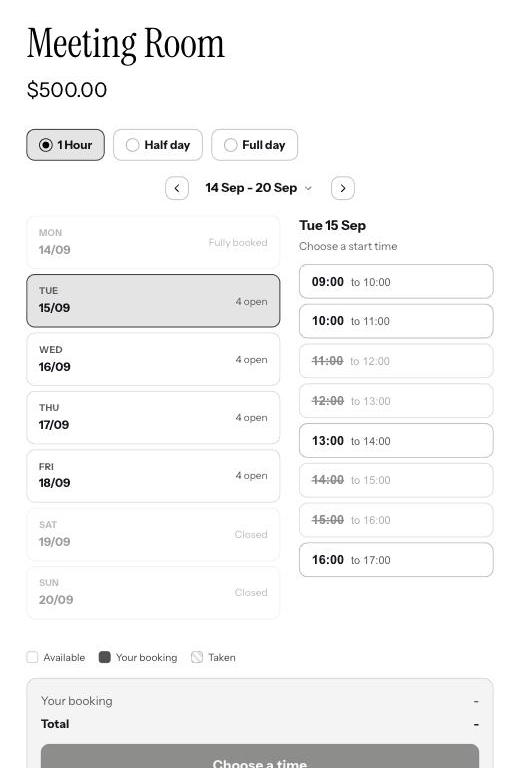
The three ways to sell time
- 1Shorter slots
Book by a length you choose, usually an hour. Customers pick a start time and how many they want in a row, for example 2 hours. Set the length and the price for one.
- 2Half day
A morning or an afternoon, at one flat price. If you set a daily break, the halves split around it. Without a break, it is half of that day opening hours.
- 3Full day
From opening to closing on that day, at one flat price.
Slot length and limits
Slots come in 15 minute steps, from 15 minutes up to 8 hours, so 30, 60 or 90 minutes are all fine. You can also cap how many a customer takes in one booking, for example 4 to stop anyone booking half your week. Tick as many of the three as you sell and the customer picks on your product page.
Half and full days follow your hours
A full day means whatever that day opening hours are, so a shorter Saturday costs the same as a longer Tuesday. The price you set is flat either way. If your days vary a lot, shorter slots suit you better.
Good to know
Can I offer more than one option?
Yes. Set a price against any of the three and the customer chooses when they book. Leave a price blank and it is not offered.
Can I stop someone booking all day?
Yes. Set the most slots one booking can take.