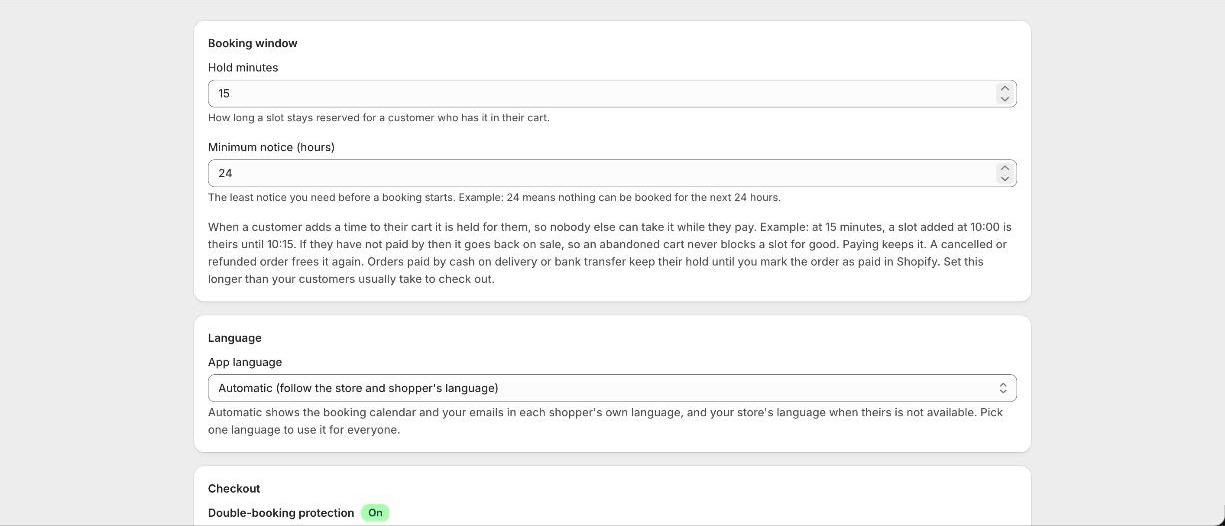
Settings
Under Settings you set how long a time stays held for someone with it in their cart, the minimum notice you need before a booking starts, whether checkout collects an address, your booking questions, your confirmation and reminder emails, SMS reminders, double-booking protection, and your private calendar feed link.
Double-booking protection
One switch under Settings, covering your whole store. With it on, checkout is blocked when the time has already gone, so the same slot cannot be sold twice. Normal checkout and discount codes are unaffected.
Plans
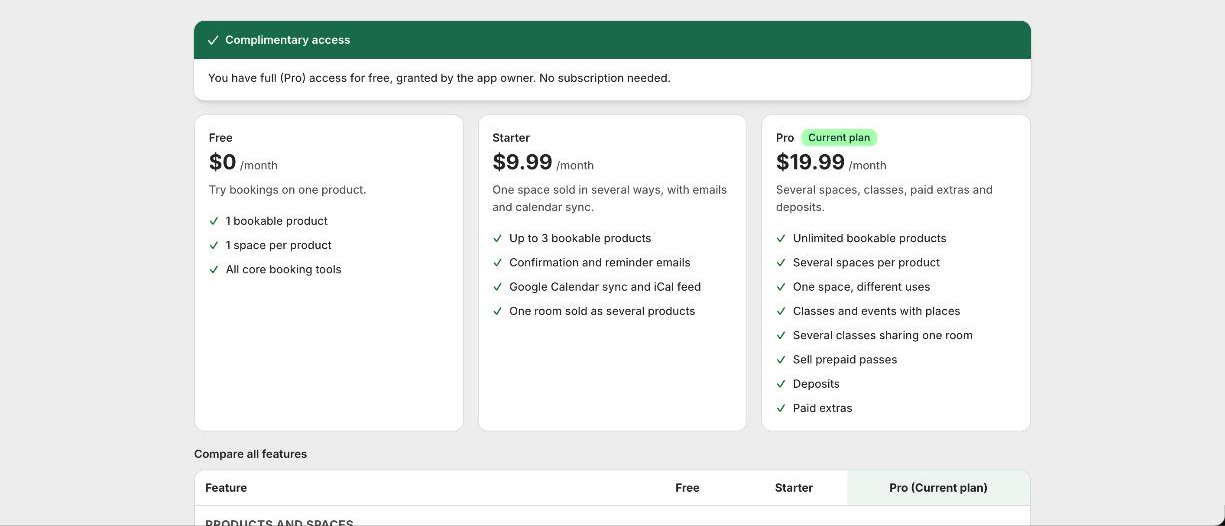
- 1Free
One bookable product, with the core booking tools and full calendar styling.
- 2Starter, $9.99
Up to three products, plus confirmation and reminder emails, your own booking questions, a gap between bookings, Google Calendar sync and the calendar feed for Apple, Outlook and Airbnb.
- 3Pro, $19.99
Unlimited products, several spaces, one space sold in different ways, classes and events with places, paid extras, deposits, opening hours and closed dates per product, and SMS reminders.
If you downgrade
Anything your new plan does not include switches off, but the settings behind it are kept rather than deleted. The app tells you what turned off. Upgrade again and it all comes back without setting it up twice.
Good to know
How many products can I make bookable?
One on Free, three on Starter, unlimited on Pro. If you go over the limit, the newest products stop taking bookings and the ones you set up first keep working. Existing bookings are never touched.
Which plan has what?
Emails, questions and the gap between bookings are on Starter and up. Several spaces, classes, paid extras, deposits, per-product hours and SMS are on Pro. Calendar styling is on every plan.
Does my Shopify plan matter?
No. Everything, deposits, paid extras and passes included, works on any Shopify plan. The one difference is how a deposit shows at checkout: on Shopify Plus the booking line is priced at the deposit, on other plans the rest comes off as a line discount. The customer pays the same either way.