Cancel the whole order
Cancel the order in Shopify. Every booking on it is cancelled, each time goes back on sale straight away, and the events leave your Google Calendar if you sync. If the order sold passes, those passes come off the customer's account.
Refund one booking on an order
An order can hold several bookings, say two rooms for the same afternoon. Refund the line for one of them and only that booking is cancelled; the other stays. Refunding part of the quantity on a class booking, one place out of three, leaves the booking as it is, so cancel the order if you mean to free the whole thing.
Cancel from the calendar
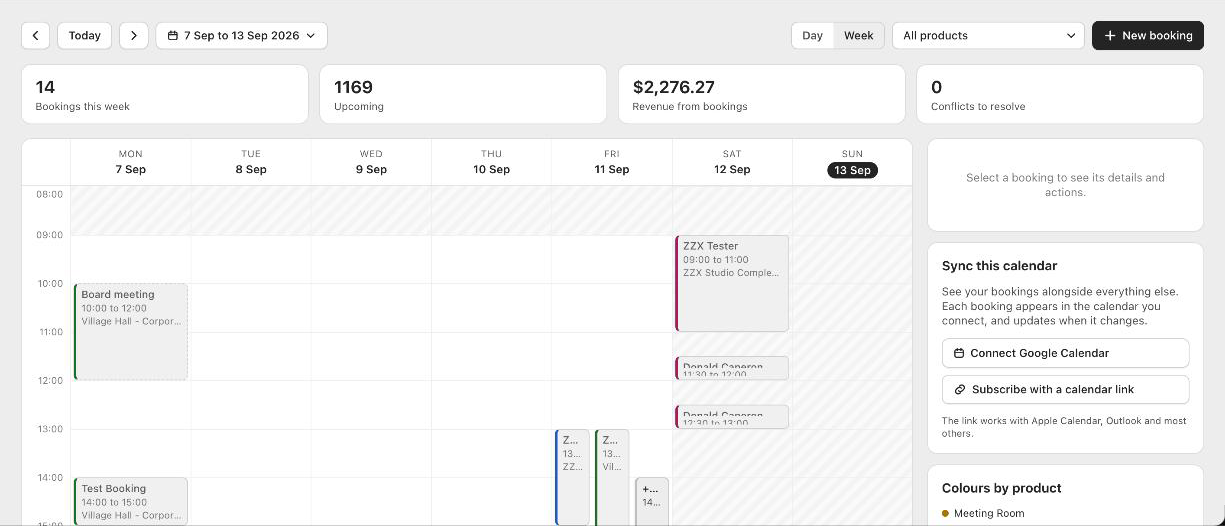
Open the booking on your calendar and press Cancel booking. This is for bookings you added by hand and for the rare case where you need a time back before the order is sorted out. Booker emails the customer to tell them, as long as confirmation emails are on and you have their address.
Passes come back
A booking paid with a pass hands the pass back when it is cancelled, into the same batch it came from, with the same classes and the same deadline. A refunded pass order takes the passes off the account again, newest batch first, and never below zero: a customer who has already spent what they bought keeps the bookings they made with it.
Deposits
Refund a deposit order the same way. The balance that was owed is simply no longer owed. If you collected the rest on the day and then need to refund, refund it in Shopify as you would any payment.
Orders that were never paid
An order paid by cash on delivery or bank transfer keeps its time held until you mark it paid in Shopify. If it never gets paid, cancel it and the time is released.
Good to know
Does a refund happen automatically when a customer cancels?
No. Customers cannot cancel their own bookings. They contact you, and you refund or cancel in Shopify. Booker never moves money on its own.
I refunded and the time is still taken
Give it a minute; Shopify tells Booker about the refund a moment after it happens. If it stays taken, check that the refund included the booking line and not only the shipping or an extra.
Will the customer get an email?
Cancelling from the calendar sends one. A cancellation or refund made in Shopify sends whatever Shopify sends for that order; Booker does not add another.