Ways to sell more than one space
- 1Identical spaces
Say you have three identical rehearsal studios. Enter 3 and they share one set of prices. Three customers can book the same time, one in each studio, and they pick which by name.
- 2Spaces that differ
On Pro, name each one and give it its own prices, for example Studio A at 40 an hour and Studio B at 60. Customers choose the one they want. Renaming or reordering later is safe; existing bookings stay with the right space.
- 3One space, different uses
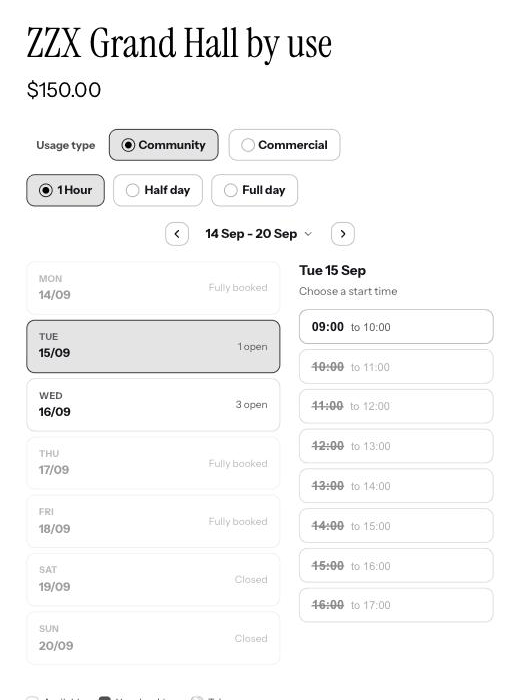
Sell the same room under different headings at different prices, for example a hall as Birthday party or as Corporate hire. Customers pick one. Because it is the same hall, a booking under one heading takes that time for all of them.
Booking several at once
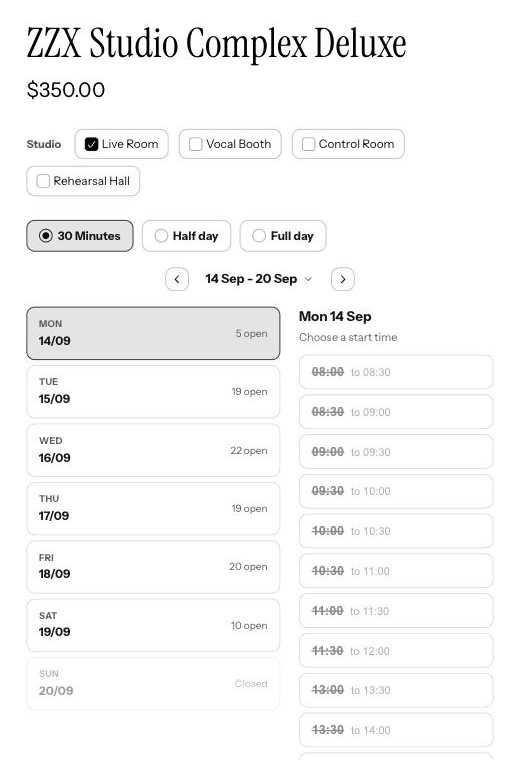
On Pro, a customer can take several of your spaces for the same time. They only see times when all of them are free, all are held together, and you can offer money off when they book more than one, for example 10% off two or more.
Good to know
Which plan is this on?
Several spaces, per-space prices, selling one space in different ways and bundle discounts are all on Pro.
What if I want two separate products to share one room?
That is shared spaces, and it works across products. See the shared spaces guide.
Can somebody book two of my rooms in one go?
Yes. They pick the time and how many rooms they need, and it goes through as one order rather than making them book twice.