The product page
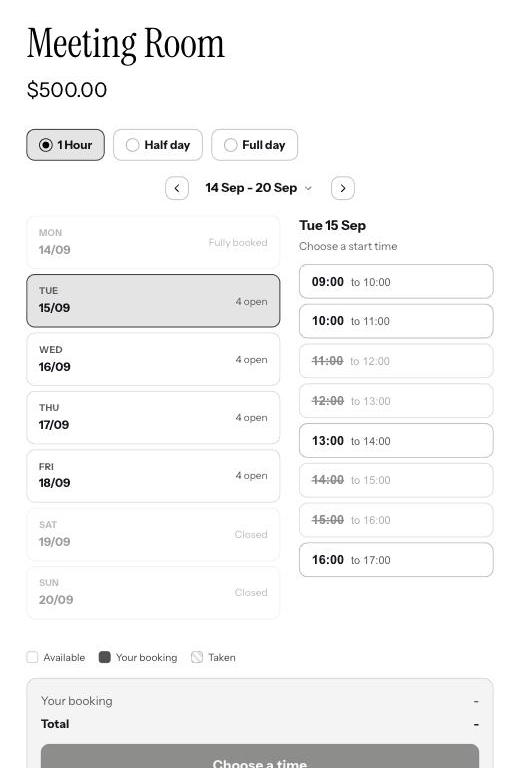
The calendar sits where your theme puts the app block, usually under the price. The customer picks how they want to book if there is a choice, then a day, then a time. Taken times are crossed out; a closed day says so. A class shows how many places are left on each session.
Picking a time
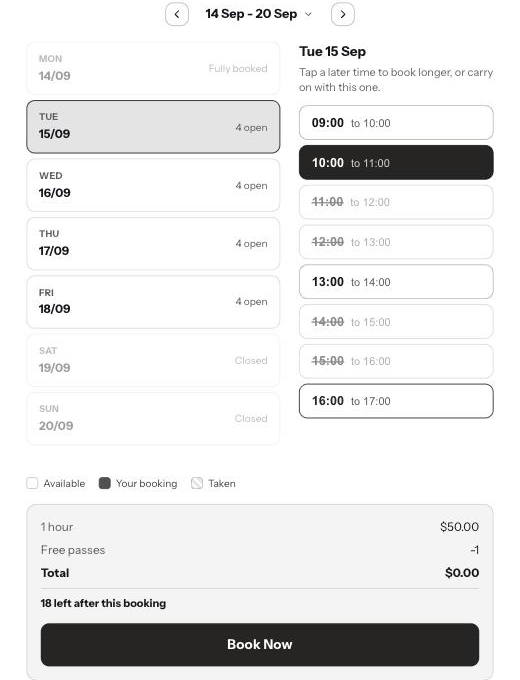
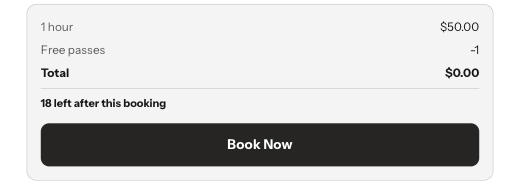
Tapping a time selects it; tapping the next one along makes the booking longer. A summary beneath the calendar shows the price, any deposit, any extras and the Book Now button. Nothing is charged yet.
The hold and the cart
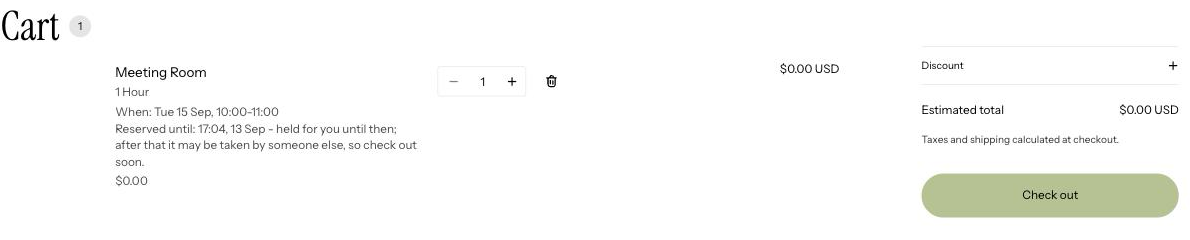
Book Now puts the booking in the cart and holds the time for the number of minutes you set under Settings. The cart line shows the date, the time, the space, and until when it is reserved. If they wander off and the hold runs out, the line is removed and the time goes back on sale.
Checkout
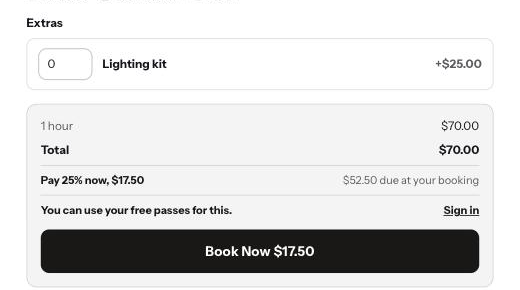
It is your normal Shopify checkout. A deposit shows as the amount to pay now with the rest marked as due at the booking. If someone else took the time while they were paying, checkout stops them with a message and asks them to pick another slot; they are never charged for a time they cannot have.
Afterwards
They get a confirmation email with the booking details, a calendar file to add it to their phone, and the answers to any questions you asked. A reminder goes out before the booking if you have reminders on. If they paid a deposit, both emails say what is still owed.
Passes
A customer who holds passes and is signed in sees the class priced as normal with a line beneath it saying a pass is paying, and how many they will have left. Signed out, the summary tells them they could use a pass and offers a sign-in link.
Good to know
Can customers cancel or move a booking themselves?
Not yet. They contact you and you cancel or refund in Shopify; Booker frees the time.
What if they add the same time twice?
They cannot. Once a time is in their cart it is held, and the calendar shows it as taken to everyone, including them.
Does the calendar work on a phone?
Yes. It reflows to one column and the day list becomes a scrolling strip.